Pixel House Android Tools for GDevelop
A downloadable tool for Android
Pixel House Android Tools for GDevelop
Bring native Android features to your GDevelop projects with simple actions, conditions, and expressions.
Pixel House Android Tools is a GDevelop extension that provides easy access to selected native Android features.
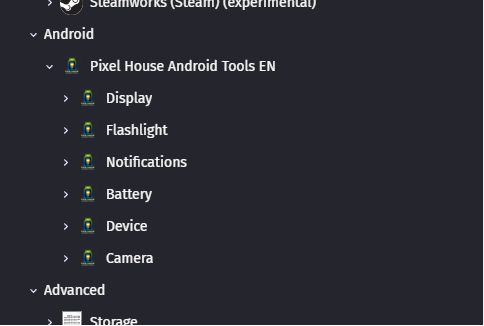
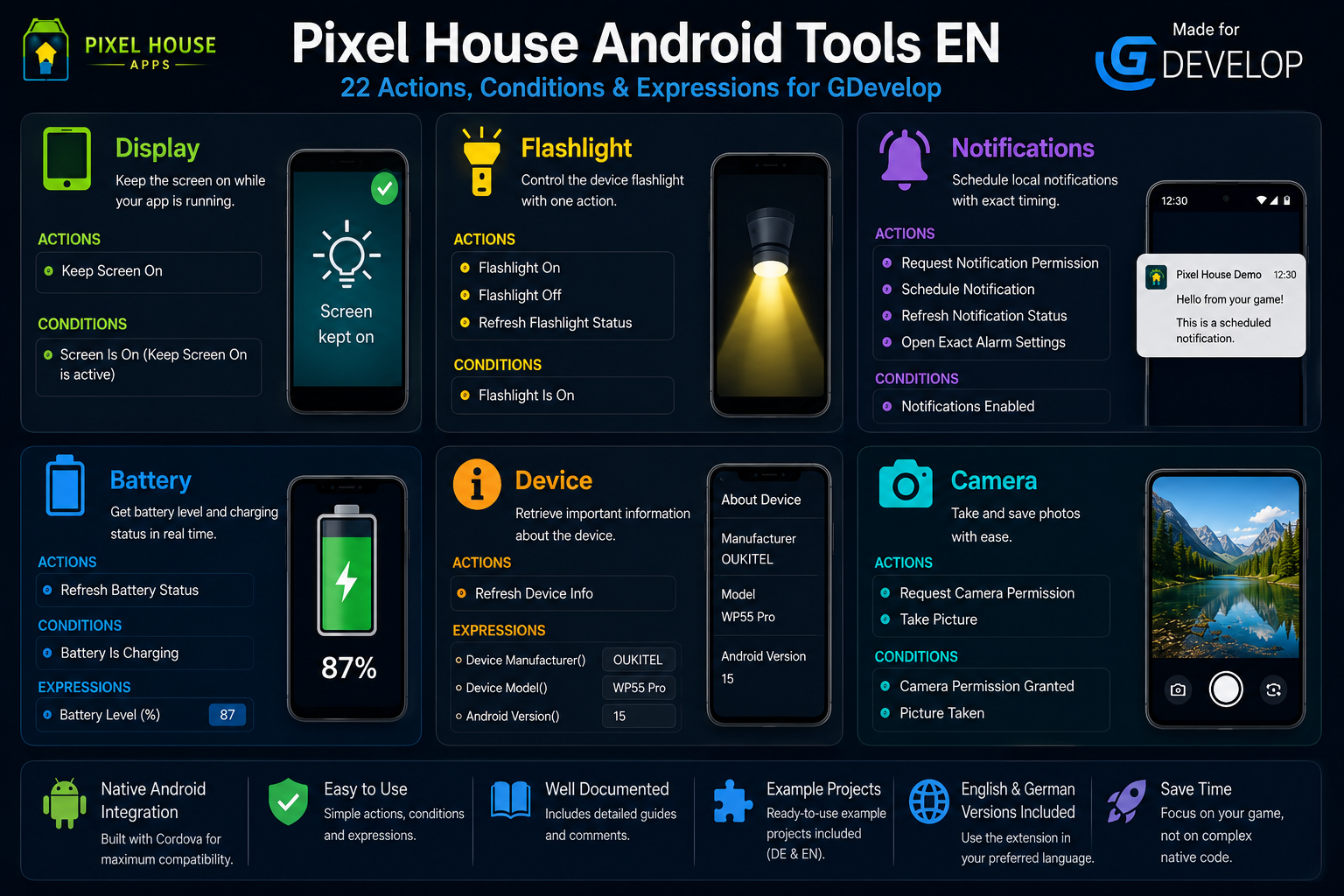
The extension currently includes support for notifications, flashlight control, battery information, device information, camera access, and display control.
No Java or native Android programming is required to use the provided GDevelop actions, conditions, and expressions.
🔔 Notifications
Schedule local Android notifications with a custom title, message, and delay in seconds.
Included features:
- Request notification permission
- Refresh the current notification permission status
- Check whether notifications are enabled
- Schedule a notification with a custom title, message, and delay
- Use a delay of
0seconds to send a notification immediately - Open the Android exact alarm settings for improved timing accuracy
Scheduled notifications can also appear when the app is closed.
🔦 Flashlight
Control the LED flashlight of the Android device.
Included features:
- Turn the flashlight on
- Turn the flashlight off
- Refresh the current flashlight status
- Check whether the flashlight is currently on
The device must have a suitable camera LED for this feature.
🔋 Battery Status
Read information about the current battery status of the Android device.
Included features:
- Refresh the current battery information
- Read the battery level as a value from
0to100 - Check whether the device is currently charging
📱 Device Information
Read basic information about the Android device.
Included features:
- Refresh the current device information
- Read the device manufacturer
- Read the device model
- Read the installed Android version
📷 Camera
Access the Android camera through simple GDevelop events.
Included features:
- Request camera permission
- Check whether camera permission has been granted
- Open the Android camera to take a picture
- Check whether a picture was taken successfully
💡 Display Control
Control whether Android is allowed to automatically turn off the screen.
Included features:
- Keep the screen on
- Allow the screen to turn off again
When Keep Screen On is active, the device is prevented from automatically dimming or turning off the screen while the app is in use. Allow Screen Off restores the normal Android screen timeout behavior.
🎮 Integration with GDevelop
Pixel House Android Tools integrates directly into the GDevelop event system.
The included native Android features are available through familiar:
- Actions
- Conditions
- Expressions
This allows you to use the supported Android functionality directly inside your GDevelop event sheets.
🌍 English and German Versions Included
The download package includes both English and German versions of the extension and the example project.
Included:
- 🇬🇧 English version of the Pixel House Android Tools extension
- 🇩🇪 German version of the Pixel House Android Tools extension
- 🇬🇧 English example project
- 🇩🇪 German example project
Both example projects contain detailed comments explaining the included actions, conditions, and expressions and demonstrating how the available features can be used.
📦 What's Included
The download package contains:
- Pixel House Android Tools extension — English
- Pixel House Android Tools extension — German
- Commented example project — English
- Commented example project — German
The example projects demonstrate the currently included features:
Notifications · Flashlight · Battery Status · Device Information · Camera · Display Control
⚙️ Important Information
Pixel House Android Tools is designed for Android projects created with GDevelop.
Native Android functionality cannot be fully tested in the standard GDevelop preview. To test the native features, export the project as an Android app and install it on a real Android device.
Some features require Android permissions. The extension includes the corresponding actions and conditions for the permissions currently required by its features.
🚀 Getting Started
- Open your GDevelop project.
- Import the English or German version of the Pixel House Android Tools extension.
- Use the included actions, conditions, and expressions in your event sheets.
- Export your project as an Android app.
- Install and test the app on a real Android device.
The included English and German example projects demonstrate how the individual features are used.
🔄 Future Updates
Additional features for Pixel House Android Tools are planned for future updates.
The extension may be expanded with further native Android functionality over time.
💙 Created by Pixel House Apps
Creating Games.
Building Tools.
Sharing Knowledge.
Purchase
In order to download this tool you must purchase it at or above the minimum price of 4.99€ EUR. You will get access to the following files:
Download demo
Development log
Leave a comment
Log in with itch.io to leave a comment.